
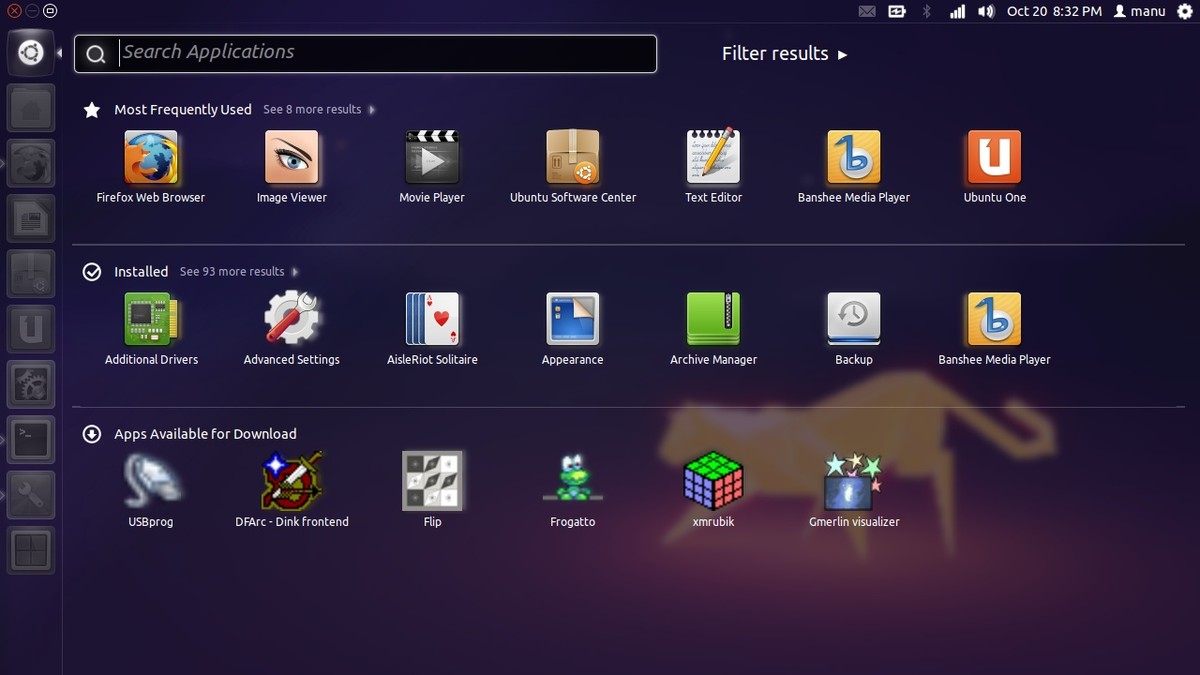
The official Ubuntu 11.10 just arrived several hours ago and with the fuss everybody is making on the internet, I had to try Ubuntu again after more than a year stopping using it. Ubuntu 11.10 is the second version of Ubuntu using the new and controversial Unity desktop environment. The code name of Ubuntu 11.10 is Oneiric Ocelot, Oneiric means “dreamy” and Ocelot is a wild cat in South America. So if you dont know whether Ubuntu 11.10 is a sweet dream or a bitter nightmare, here is the brief review of mine after few hours of downloading, installing and messing around with Ubuntu 11.10.
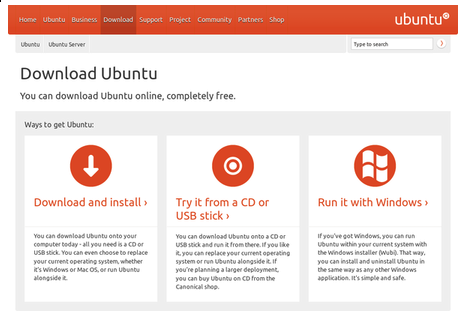
You can download Ubuntu 11.10 directly from Ubuntu.com or via torrent. I recommend you to use torrent if you have an unstable internet connection because the ISO is pretty big. And since the Ubuntu community is huge, the torrent file always has a lot of seeders so the download speed would be really fast. If your computer has less than 4GB ram, consider the 32 bit version, and go for the 64bit version if you have more than 4gb ram in your computer. You can choose either to burn the new Ubuntu to a CD or using UNetBootin to create a bootable USB.
There are many ways to install and try Ubuntu 11.10, you can either try it as a live CD, install in VirtualBox or use Wubi to install Ubuntu inside Windows. However, to get the full experience, I decided to install Ubuntu 11.10 as a dedicated OS in my Vaio laptop, with core i3 CPU, ATI 5650 GPU, 4gb ram and a hard drive running at 5400 rpm.
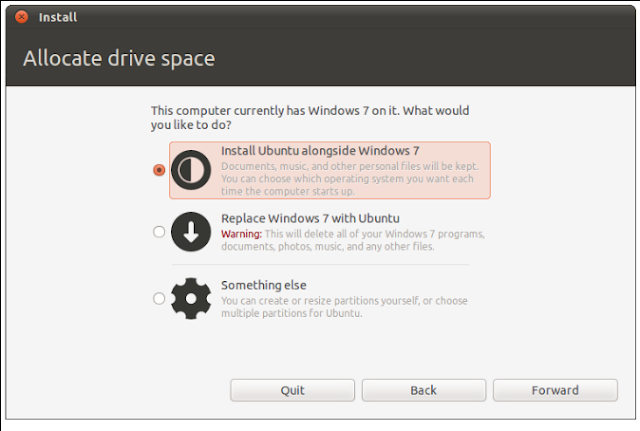
The installation process is pretty easy; everything is clearly explained. The steps are quite similar to that of the installation process of Windows 7. If you have Window 7 preinstalled you will have this dialogue box to with three options to choose: If you want to be safe, just choose to install Ubuntu along side with Windows 7. If you have experience with linux partitions, I recommend you to choose the third option, ie ” Something else”
After finishing with the partitions, the installation process will begin. Normally it wont take long since Ubuntu is quite light. However this time, Ubuntu automatically downloaded the language package without my permission. And because my internet connection is not really good and everybody is currently installing it, the download process took really long. As a matter fact, I had left for 15 mins to cook my dinner while installing Ubuntu, but when I came back, the downloading was still not finished yet with about 20 minutes to go. So I had to skip this part to get Ubuntu installed. After finishing the installation, I rebooted my laptop, removed the USB then began my “Oneiric” journey
Ubuntu 11.10 boots really slower than Arch Linux. On the same laptop, it takes about 25 seconds for Arch Linux to boot but about 45+ seconds for Ubuntu. It’s probably because Ubuntu has too many daemons and modules when booting up and that’s the price to be “user-friendly”. ( It also takes longer too shutdown as well)
The splash screen is still the old one, purple background with the ubuntu word and some dots running. The login screen is really nicer than that of the old gnome-based Ubuntu.
 |
| Ubuntu 11.10 splash screen |
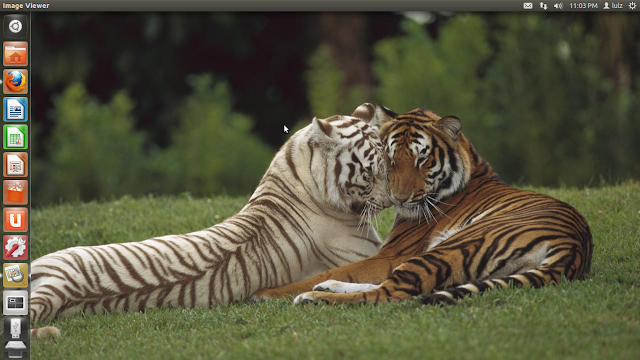
The design of Unity in this version looks quite similar to that of Ubuntu 11.04, but since I havent used Natty Narwhal, I cannot make a precise comparison. Ubuntu 11.10 still uses the old orange Ambiance theme. On the desktop, you have a panel on top with the notification indicators on the right and the Unity launcher on the left side. When you open an application and use it in fullscreen mode, the top panel will act as the global menu. The picture below is how my desktop looks with Ubuntu 11.10
However, it’s perhaps a matter of taste but I really dont like the design of Unity and I faced many problems when trying to customize it. The first problem is the auto-hide feature of Unity. Since my laptop has a wide screen, I really dont need this auto-hide feature to save some horizontal space, and the launcher sometimes doesnt appear when I hover the mouse on the left wall of the screen. More than that, when it is hidden, the Unity launcher responds quite slowly for everything. The image below is an example, notice that the mouse is on the left wall but nothing appears.
The auto-hide feature is annoying and so is the way to disable it. You have to google about it, then install compiz or dconf-editor then do some tinkering, and that’s really too much of work. If some guy, who cannot understand english and doesnt know how to google, wants to disable this feature he would have a big trouble. I think it will be much better if they allow us to customize the launcher just by right clicking on it to have the option menu like what we can with AWN or Cairo Dock.
The next problem I have with the Unity design is the position of the window buttons. I always prefer them on the right but I still cannot find a way to move the notification indicator to the left and get the buttons on the right of the top panel. Of course you can customize it with gconf-editor but it only applies to the minimized windows, when you maximize windows, the buttons are still on the left. Besides, just like dconf-editor, gconf-editor is not preinstalled, and that’s really bad.
Another annoying thing in my opinion is the run command box when you hit Alt+F2. I still miss the old small box that allow you to type command while looking at the websites for instructions. But with Unity, when you hit Alt+F2, the new box will blur out the browser and it sucks hard when you try to run some new commands on the instruction page. Perhaps the developers of Unity believe that everyone can run commands without looking at the instructions of the net. That is quite unintuitive in my opinion
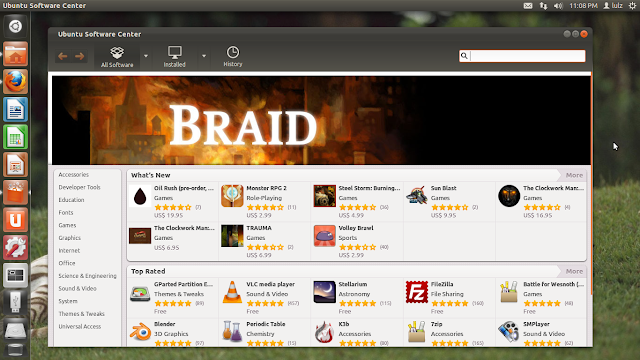
The first thing I notice is the Ubuntu software center icon.The tiny details may look cool in a big picture but in a 32×32 icon, they look like something … I cannot see. Fortunately, although the icon looks like the Pandora box, Ubuntu Software Center of Ubuntu 11.10 is pretty cool. With Ubuntu, you dont need to use the command line to install most softwares. Just open the Software center and search for what you need. You have many options too choose: free apps, not-free apps, games, internet, science softwares etc… and the rating system will help you a lot to choose the best apps for your need.
There is not much to say about the preinstalled applications. Firefox is the default browser, Thunderbird is the mail client, empathy is the chat client, banshee is the music player. And Shotwell, Evince, Transmission .. and many other applications. And in my opinion, they all are nice to use.
Installing proprietary drivers is simple in Ubuntu 11.10, just go to System Settings > Additional drivers then it will automatically scan for the drivers. I got no problem when installing ATI catalyst for my ATI 5650 GPU.
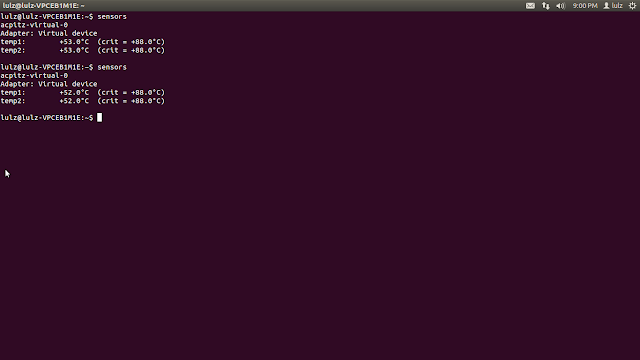
Since I’m using a laptop, heat and battery time is very important to me. At you can see in the image above, after installing the proprietary drivers for my ATI GPU, the CPU temperature of my laptop when running Ubuntu 11.10 is only 52°C at room temp = 32°C, similar to when running Windows 7 or Arch Linux. Ubuntu always comes with CPU frequency scaling preinstalled so your processor always run at the on demand speed. That means less heat and more battery life
Battery time in Ubuntu is not as good as in Windows 7. At dim light and with only a pdf file running my battery only lasted approximately 2 hours with 90% charged ( in Widnows, it can make to over 2h40mins). Perhaps it would be better after I install laptop mode tools
This review is based on my brief testing and messing with Ubuntu 11.10 after more than a year I’ve switched to Arch Linux. There can me many mistakes in this review since I dont have much experience with Unity. And although I wouldnt use Ubuntu 11.10 as the main OS, I still recommend it for those who need a somewhat user-friendly Linux distro because it’s very easy to install Ubuntu 11.10 and you really dont need any knowledge about the command line to use it.