
Zorin OS 5 review
Not long ago, there was a survey about Linux distro on reddit and the result is very worth-noticing, Ubuntu is still the most favorite distro but Unity is the most hated desktop environment ( the second most hated DE is Gnome 3). And interesting enough, Gnome 2 is still the most favorite DE. From the result of this survey, we can make a conclusion that there are still many Linux users who want to use Ubuntu with Gnome 2. And if you are one of these people, Zorin OS – a linux distro based on Ubuntu that uses Gnome 2 as the desktop environment – will meet your need. More than that, one of the goals of Zorin OS is to attract more windows users to try Linux, that’s why Zorin OS offers a user interface that is similar to that of Windows.
Download and installation
The main edition of Zorin OS is the Core ISO and you can download it for free here. There are also some other editions of Zorin OS for you to download, i.e premium and business editions ( you have to pay money to get these editions) which are just combinations of the Core ISO and some additional applications for specific purposes like Gaming or Multimedia. In my opinion, you just need to get the Core ISO, and you can install these special applications later easily.
The Core ISO is around 1.2 GB so you need a DVD or a USB to install Zorin OS. One thing I hate is that there is no torrent option for downloading so I advice you to use a download manager or browsers that have the ability to resume downloading interrupted files.
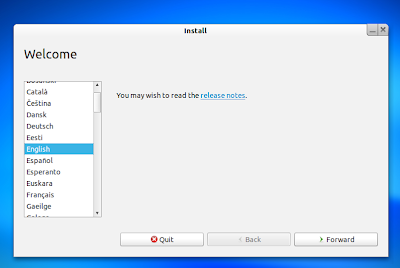
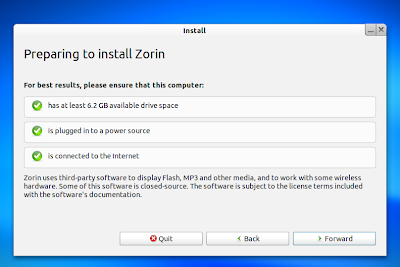
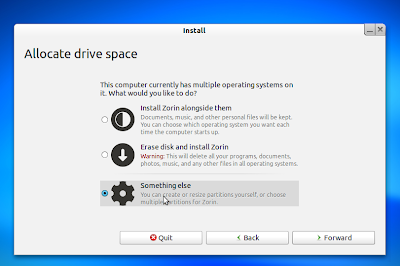
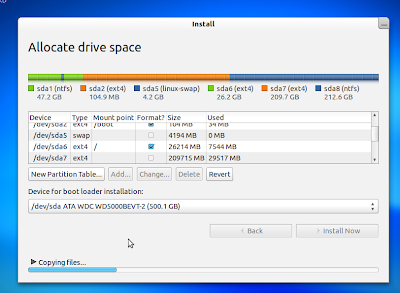
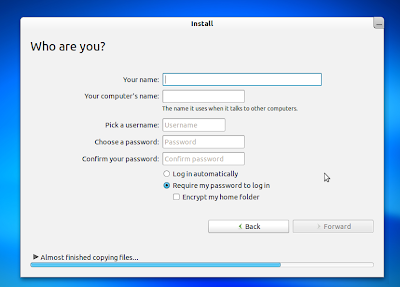
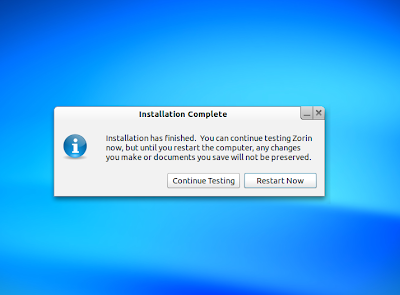
The installation process of Zorin OS is totally similar to that of Ubuntu or Linux Mint, which is very clear and well-explained so you wont have any problem when installing Zorin even if you havent used Linux/ Ubuntu before. Here are some screenshots of the installation process of Zorin OS:
Look and Feel
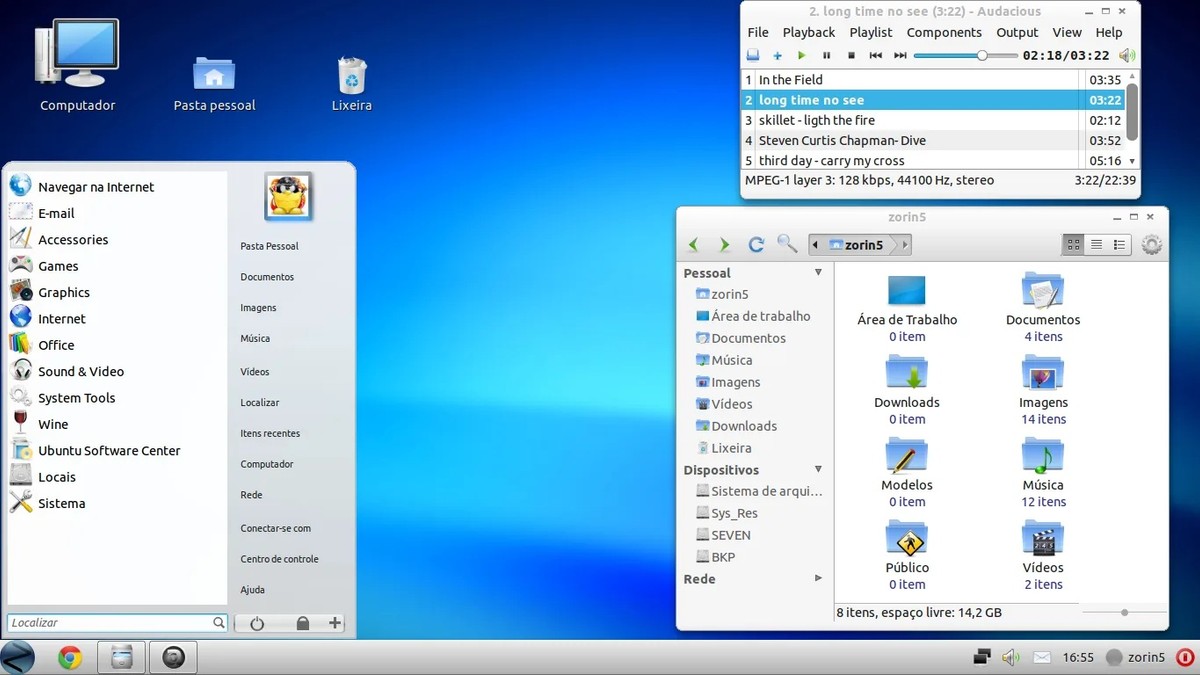
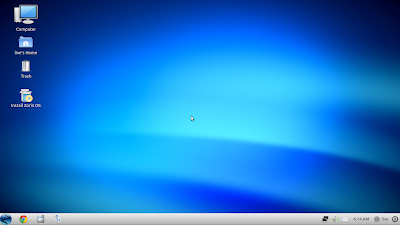
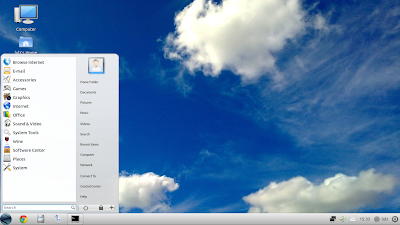
The default look of Zorin OS is very similar to that of Windows 7. There is only one gnome panel at the bottom of the screen. And to make it look like Windows 7, on the left side of the panel is the gnomenu button following by dockbarX. You can pin applications to the panel easily just like how you would do in Windows 7. On the right side are the notifications for date, network, speaker and email notification. Just like in Windows 7, the windows buttons are located on the right side by default. Here is the screen shot of the default look of Zorin OS 5.
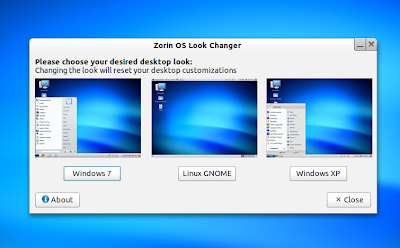
However, there are also 2 other default looks for you to choose. Just run the Zorin look changer application and you can switch to the look of Windows XP or of the good old Gnome 2 desktop.
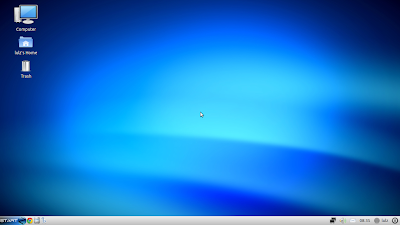
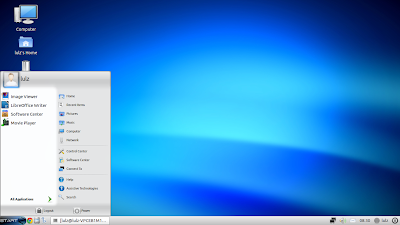
The only difference between the Windows XP desktop and the Windows desktop is the button and menu of Gnomenu and DockbarX is removed in the Windows XP desktop. Here is how it looks:
The Gnome 2 desktop is similar to what you used to have in the old Ubuntu releases, with 2 gnome panels at the top and bottom of the screen:
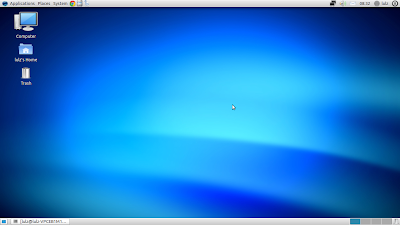
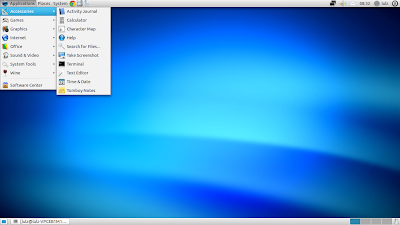
And it would be a big mistake if I dont mention about the wallpapers of Zorin OS here. Besides the bluish defaut wallpaper, Zorin OS offers you a nice collection of many images and in my opinion, they all look very nice and unique. Here are some of these wallpapers:





Another cool thing about Zorin OS is that compiz Config is preinstalled by default with some interesting effects. Make sure you have the proprietary driver installed for you dedicated graphic card to fully enjoy the effects of Compiz Config.
Applications
Comparing to Ubuntu, Zorin OS has more applications preinstalled. The default web browser is Chrome, and when you first start, it will ask you to choose a search engine between google, bing and yahoo. You have all the basic applications for office works and multimedia in Zorin OS Core edition, GIMP and Shotwell for image editing, VLC and movie player to watch videos, Banshee is the default music player and LibreOffice is the default package for office works. The mail client is Evolution and the chat client is Empathy.
Since Zorin OS 5 is based on Ubuntu 11.04 so you can access everything in the repository of Ubuntu 11.04 and installing applications is totally identical to that of Ubuntu, you can go straight to the Software center to look for the applications or just open the terminal and use the popular “sudo apt-get install app-name” command. One nice thing about Zorin OS is that the proprietary driver of my ATI card works out of the box after I used the default downloading and installing method of Zorin OS. Also, all the function keys on my laptop work out of the box in Zorin OS.
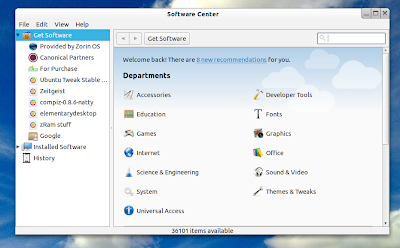
However, there are still issues remaining. The first is the grub 2 menu, it’s still saying Ubuntu instead of Zorin OS when booting up. The other issue is that unlike in Linux Mint and Ubuntu, my 3G USB doesnt work out of the box in Zorin OS. Hopefully the developers of Zorin will fix these problems in the next releases.
Conclusion
Zorin OS 5 is actually Ubuntu + Gnome 2 with a look of Windows 7 ( but you can switch to the familiar Gnome 2 desktop easily). Everything runs very smoothly even when I booted it as a live CD, I dont have any problem when I run Zorin as a dedicated OS. Zorin OS, in my opinion, suits very well for the need of two groups of people, those who still want to use Ubuntu with Gnome 2 and the windows users who want a Linux distro that offers the feel and look of Windows 7.